Automatic naming for link motors and position
sensors
In previous DIATwin modeling workflows, when users performed Extract Link and added motors and position sensors,
users had to manually rename each motor and sensor, which could lead to duplicate or incorrect names and consume
a lot of working time.
Now the system automatically uses the link name as the base for naming and applies a standardized naming format,
greatly improving efficiency and consistency.
The naming rules are as follows:
- Position Sensor naming format: LinkName_PositionSensor
- Rotation Actuator naming format: LinkName_LinearMotor
Example:
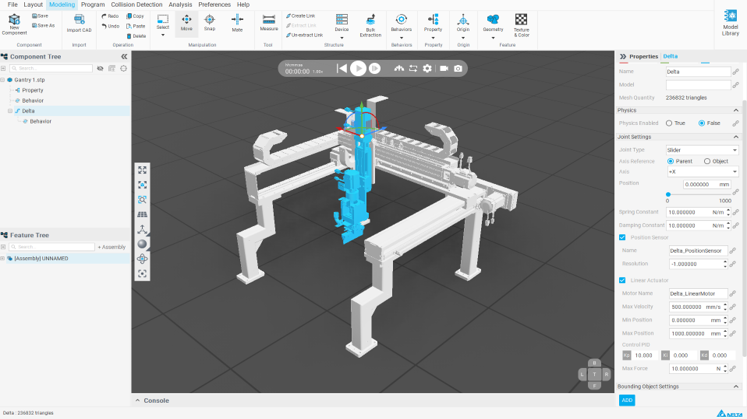
- Import the sample "Gantry 1.stp", as shown above.
- In the Modeling tab, select any component in the Feature tree, right-click Extract Link, and rename it to
"Delta"
- Select "Slider" in Joint Type
- Check Position Sensor; the system will automatically name it "Delta_PositionSensor"
- Check Rotation Actuator; the system will automatically name it "Delta_LinearMotor"

