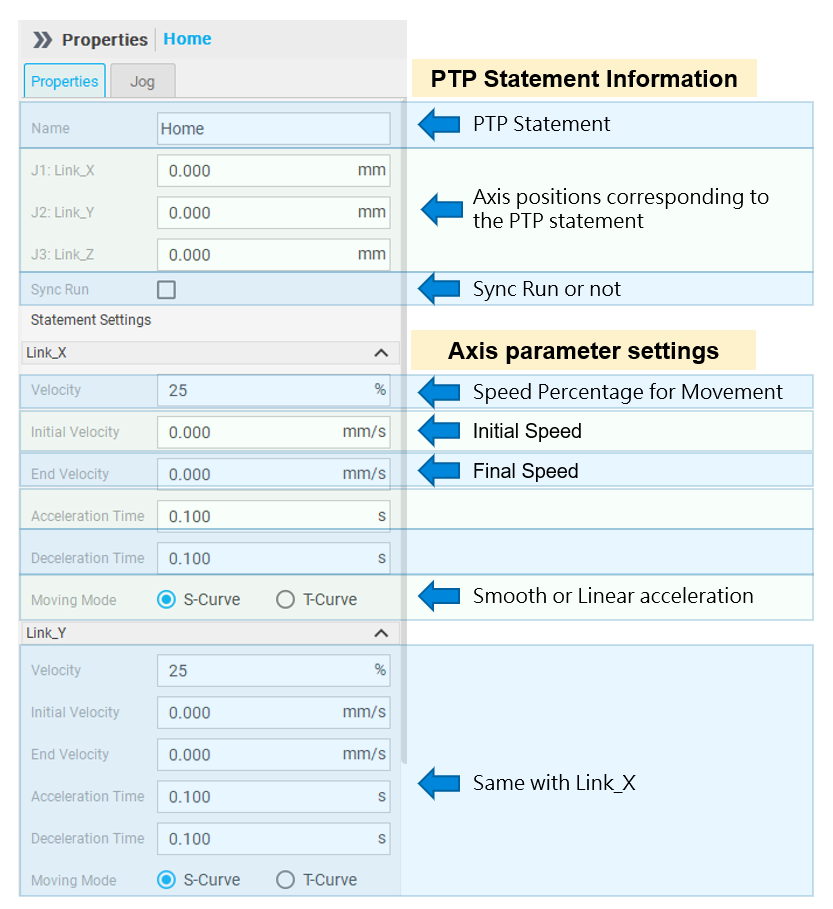
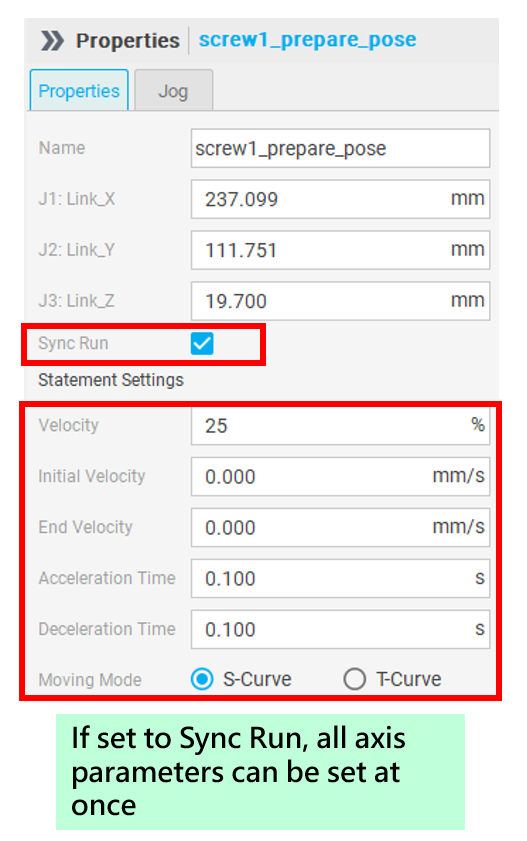
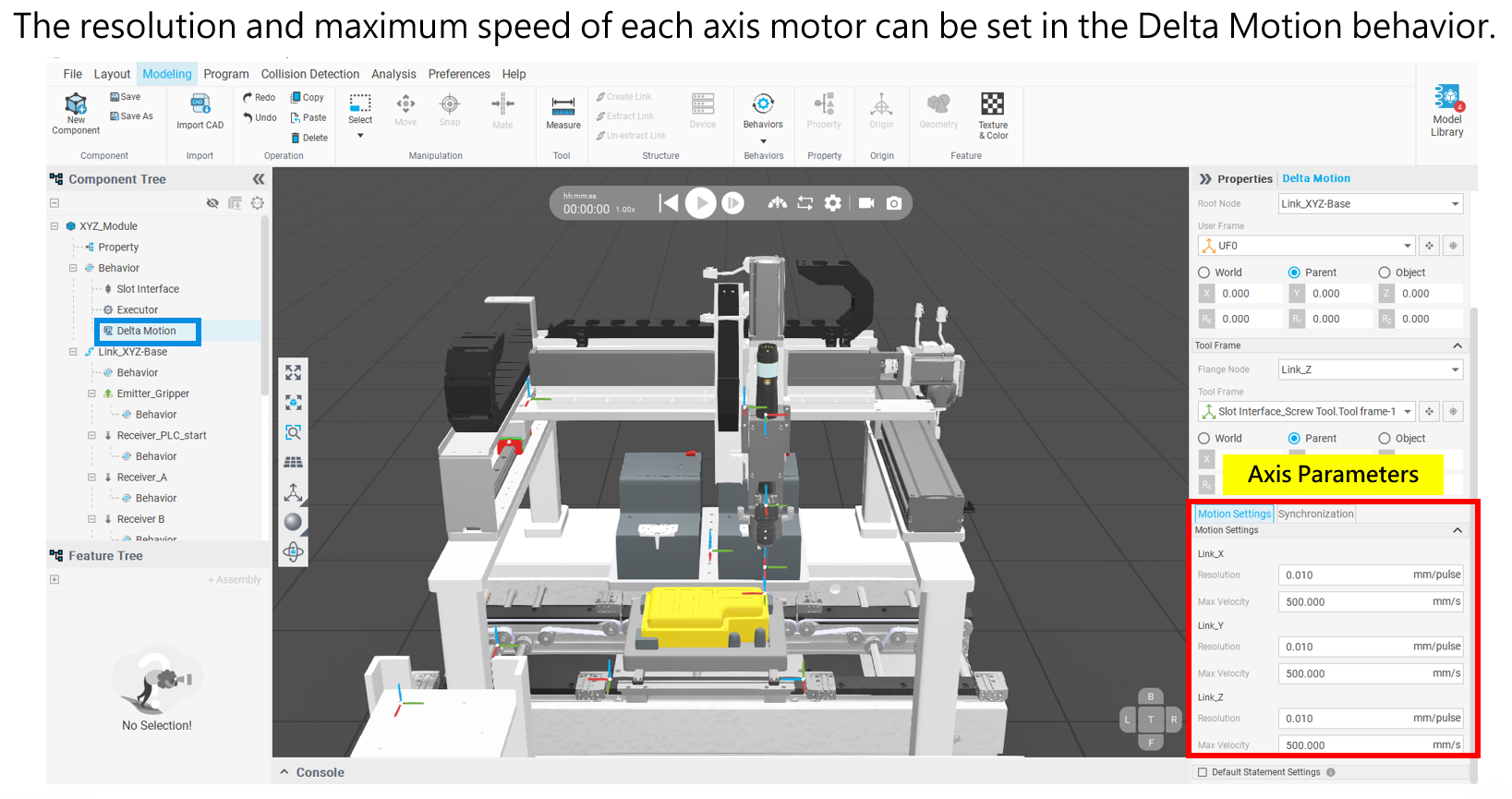
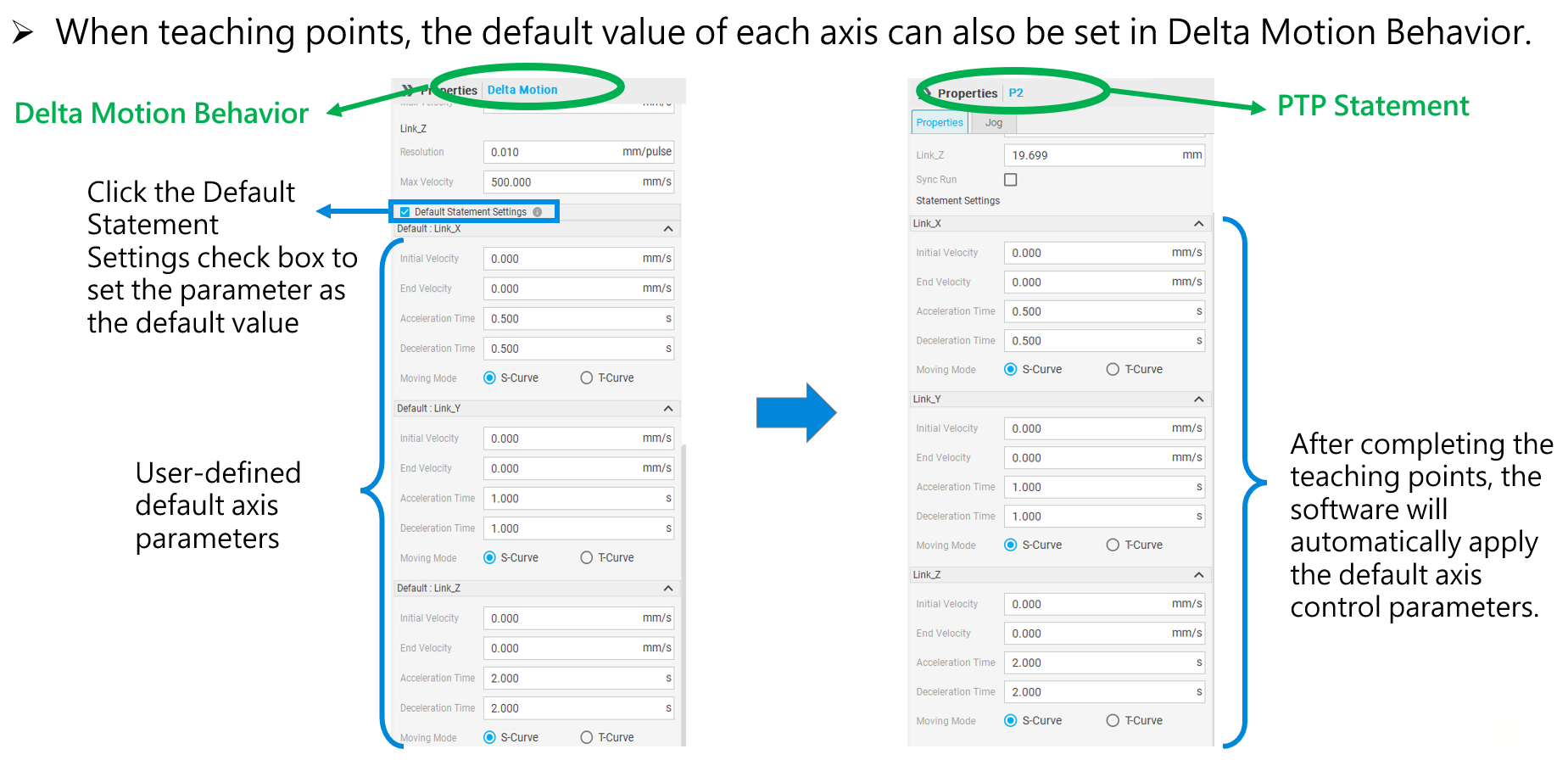
In the past, when using Delta Motion Behavior as a controller to teach points, users could only set acceleration and deceleration times using absolute values, lacking flexibility. To improve the flexibility and convenience for users when using Delta Motion Behavior as a controller, a new "speed percentage" parameter has been added, allowing users to adjust the movement speed in percentage terms. In addition, the system default value has been set to 25%, so users can obtain smooth animation performance without adjusting the parameters.
Preset:
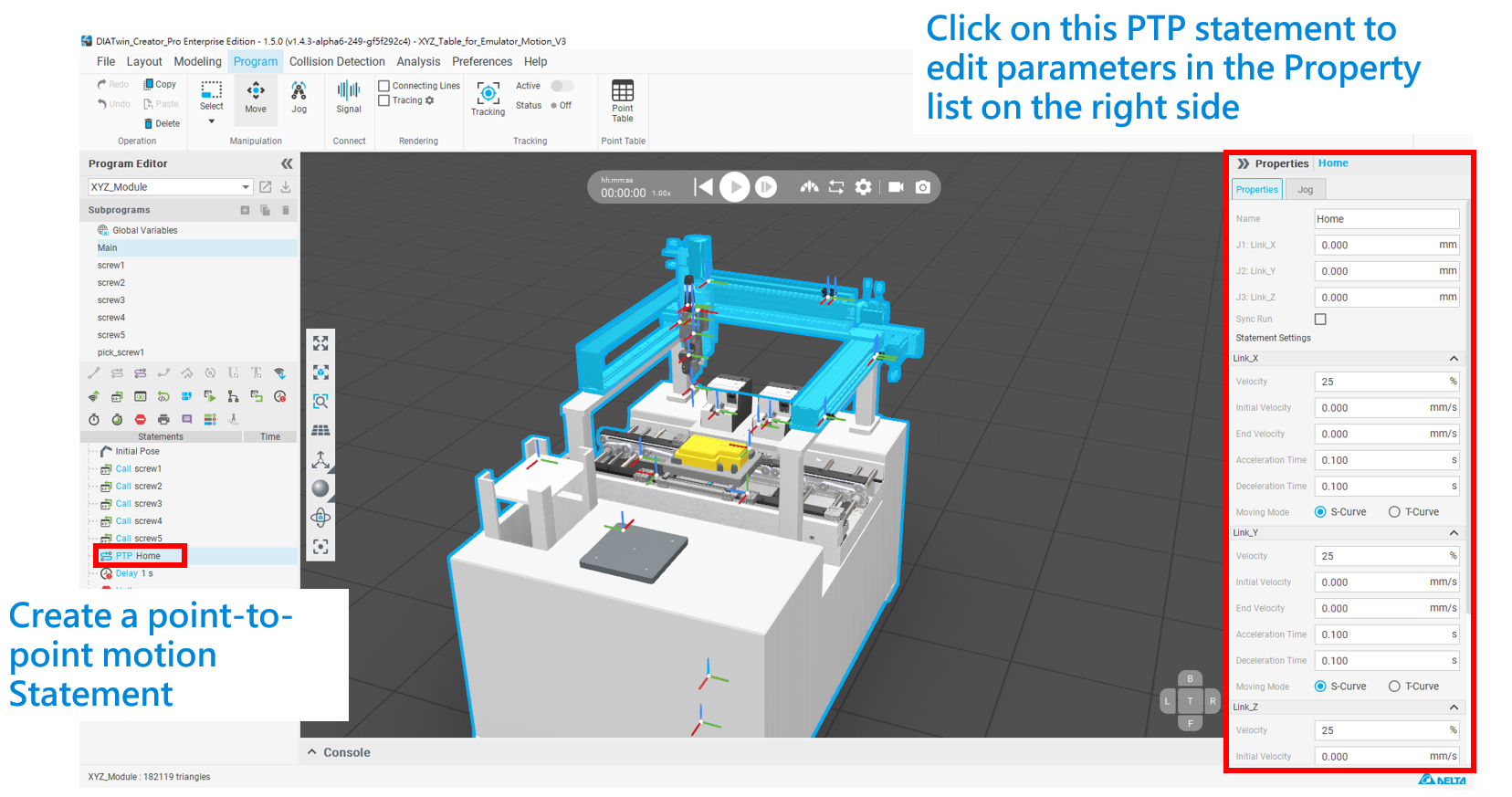
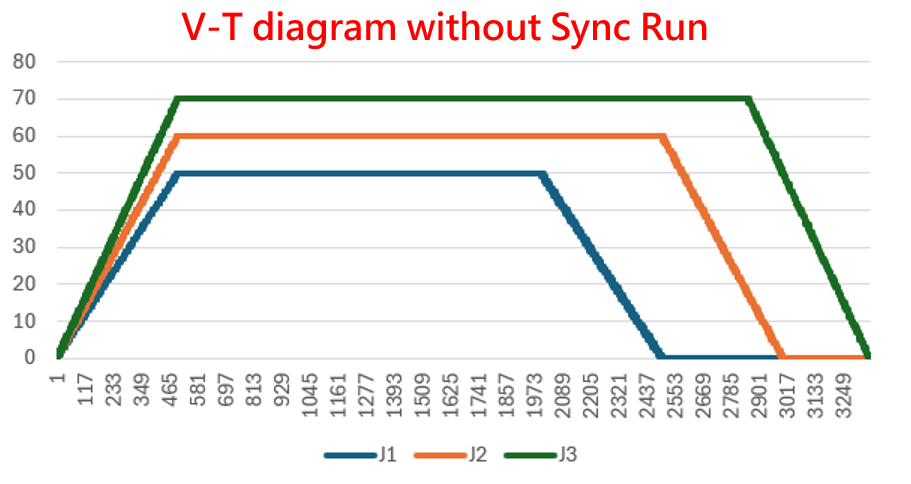
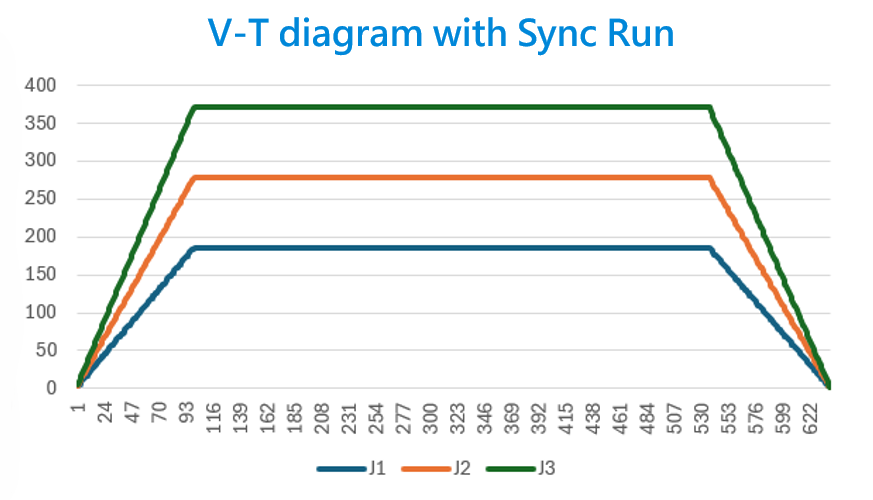
Parameter Description: