Previous topicNext topic
Help > v1.6 Release Notes >
Attach and Detach

Attach and Detach Mechanism Behavior Simulation

Feature Description

In the past, during the simulation process, to simulate the attachment and detachment between devices and objects, it was necessary to use Connectors for property configuration. The operation process was complex, and because physical properties were required, unstable behavior could easily occur during the simulation process due to collisions or physics engine calculations. Alternatively, if components needed to be pre-assembled before simulation, the Slot function had to be used, but the assembled components could not be separated during the simulation process.

Therefore, we added the Attach and Detach functionalities, allowing the assembly or grasping behavior of objects to be performed during the simulation process without using a physics engine. This makes the entire simulation process more stable, significantly simplifies configuration steps, and improves user experience.
Operation Method

1. Set Attachable Property
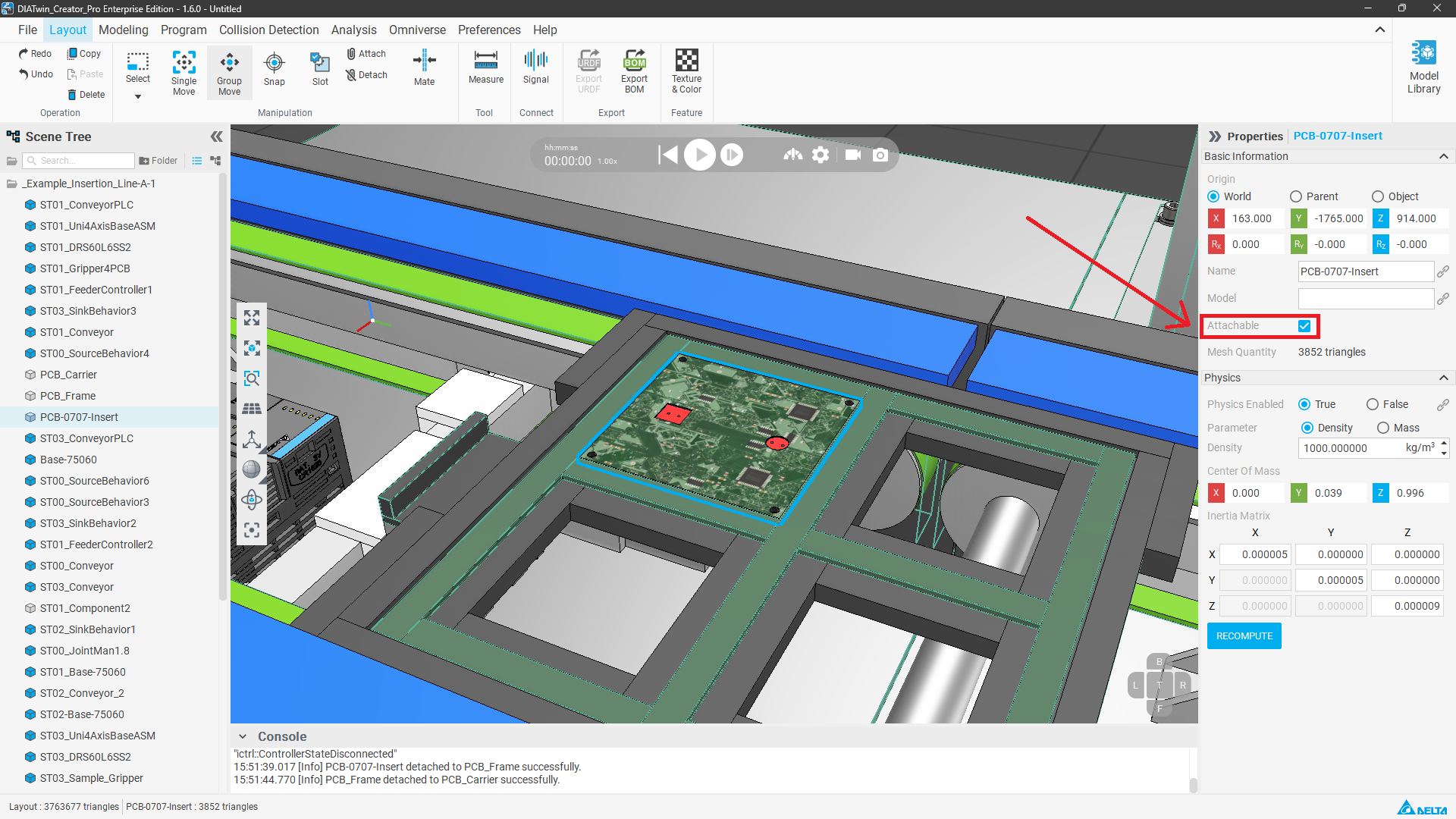
Select the target component in Scene mode or Modeling mode, and check Attachable in the right properties panel.
Attachable
2. Execute Attach
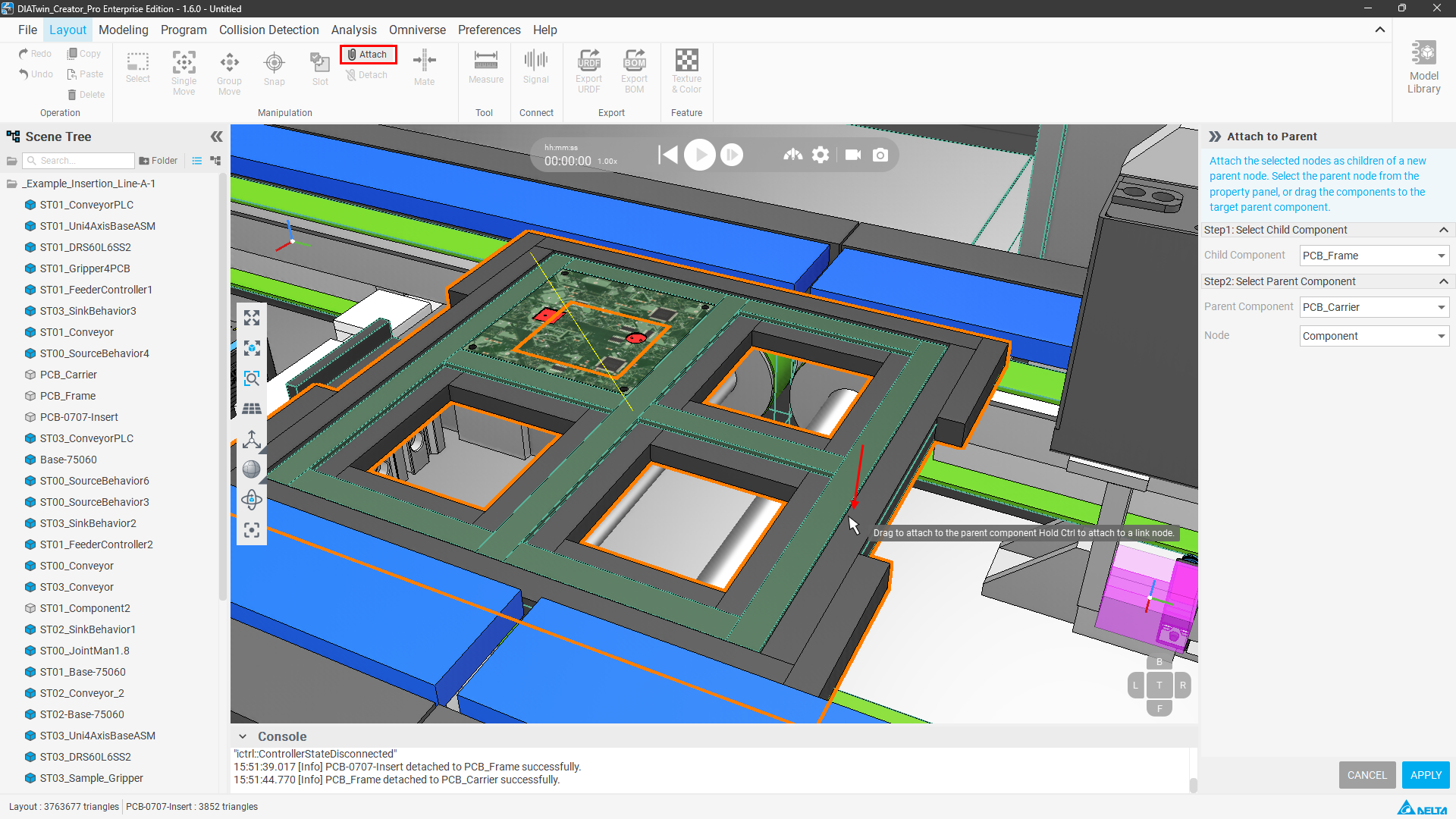
Place the component at the desired assembly position in Layout mode, and click the Attach function button. Press and hold the left mouse button to drag the component onto the target component and release, then click Apply at the bottom right of the properties panel to complete the assembly.
Attach
3. Confirm Attach Status
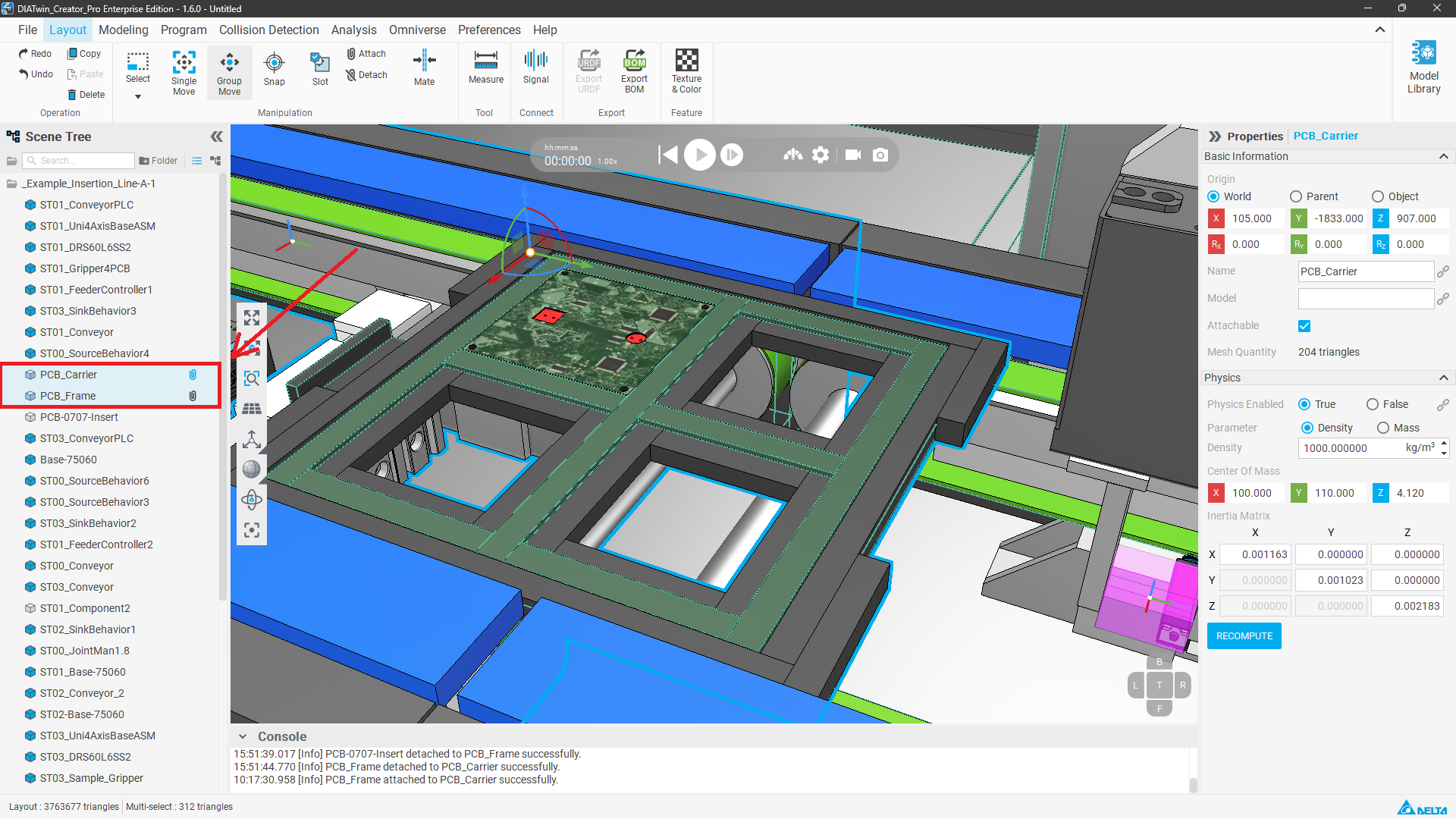
Components that have already been Attached will display a paperclip icon in the component tree. You can drag the coordinate axis to move and test; when attached correctly, all components will move synchronously.
Attach
4. Execute Detach
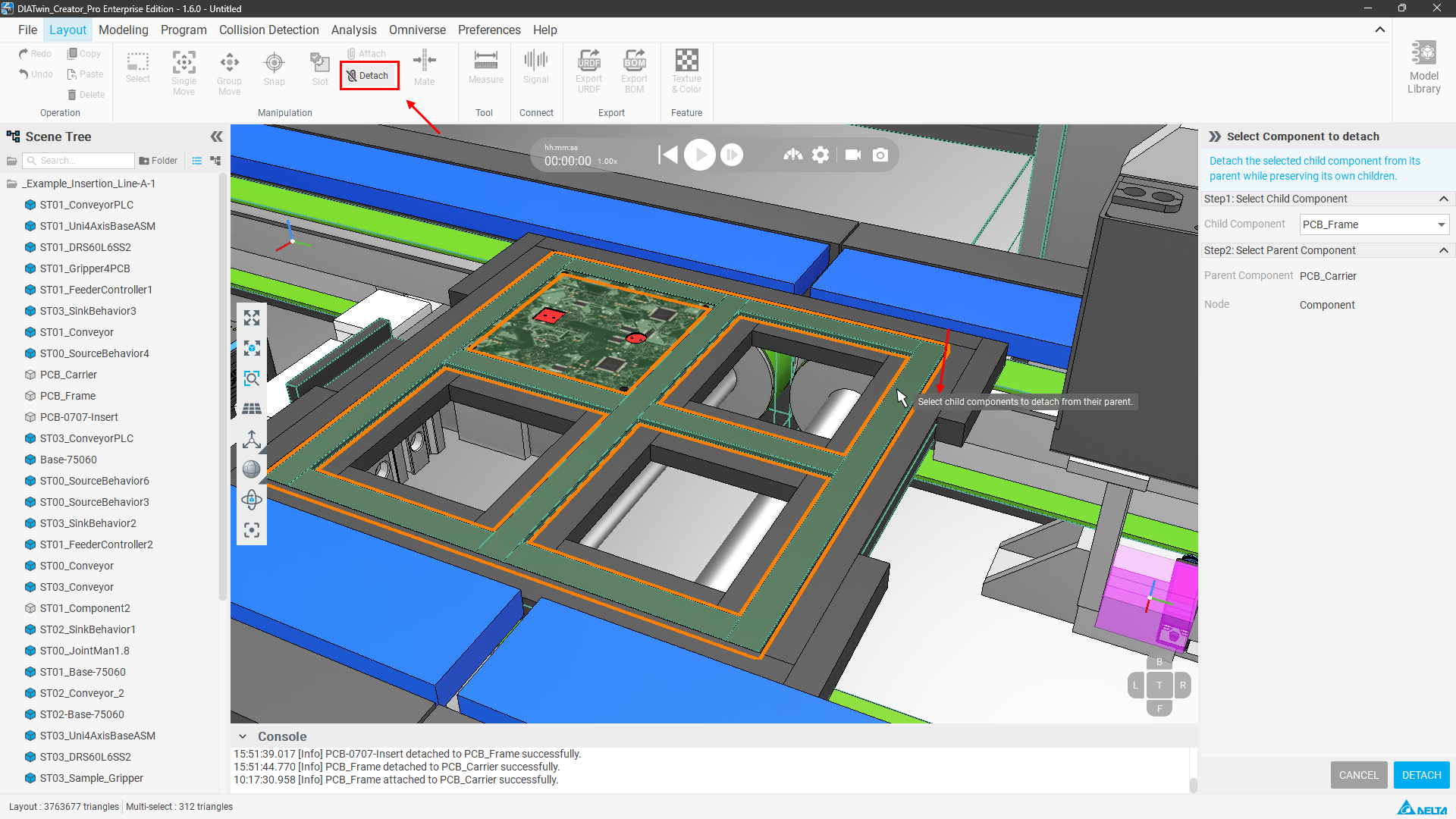
Click the Detach function button in Layout mode, select the child component to be detached in the 3D world, and click DETACH again to complete the detachment.
Detach
5. Dynamic Attach of Components During Simulation
Regarding dynamic grasping during simulation, please refer to the Grasp Behavior operation method Click here.

Notes

  • Attach has a Parent & Child relationship, but the association is only represented by a paperclip pattern in the scene tree, without a tree relationship diagram.
  • After Attaching, when dragging to change the arrangement in the scene tree, they will be moved together. If components were not originally arranged together, they will be moved under the dragged component.
  • During simulation, only the Parent component has physical properties; the physical properties of the Child component will be temporarily disabled.