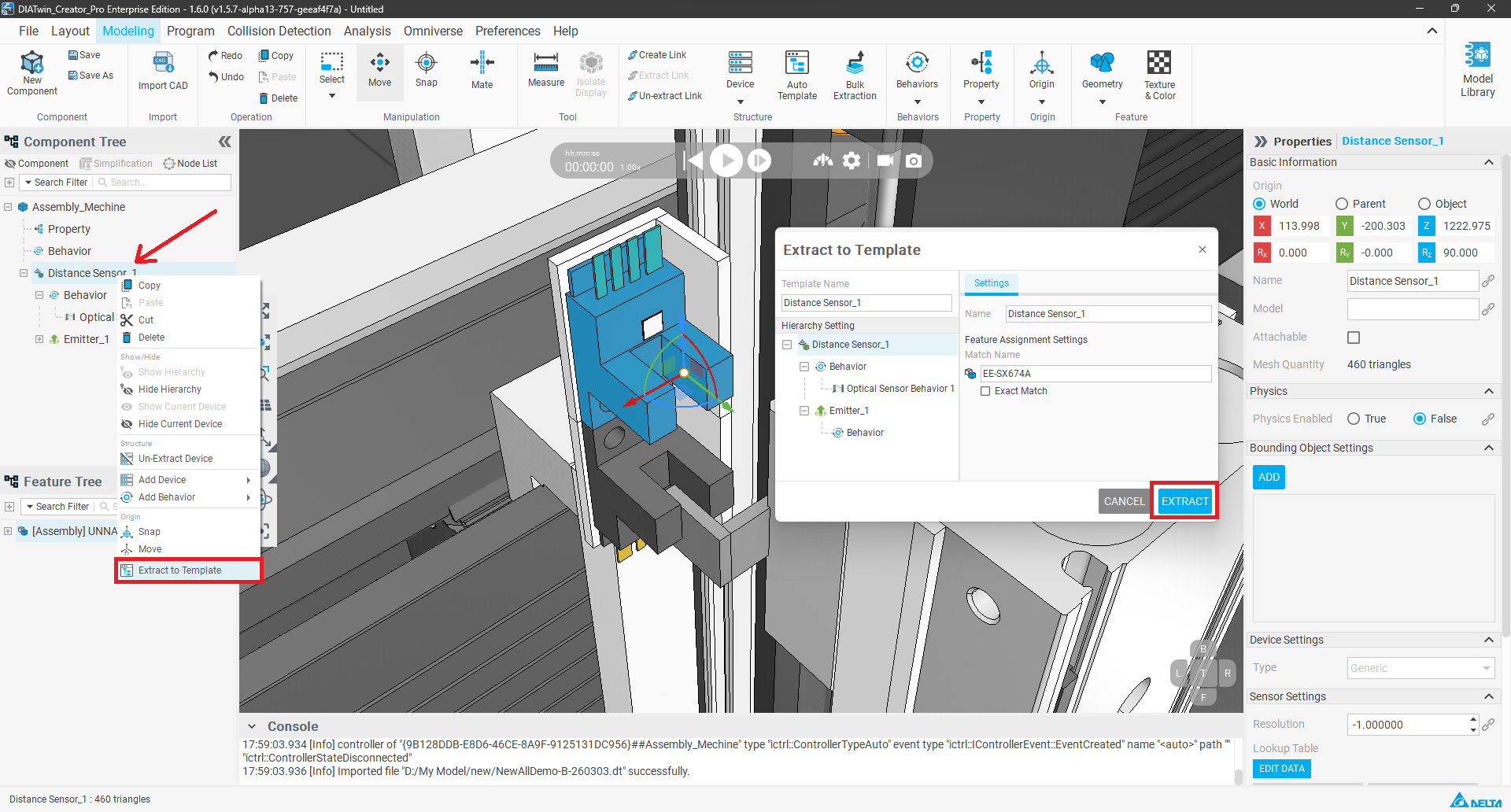
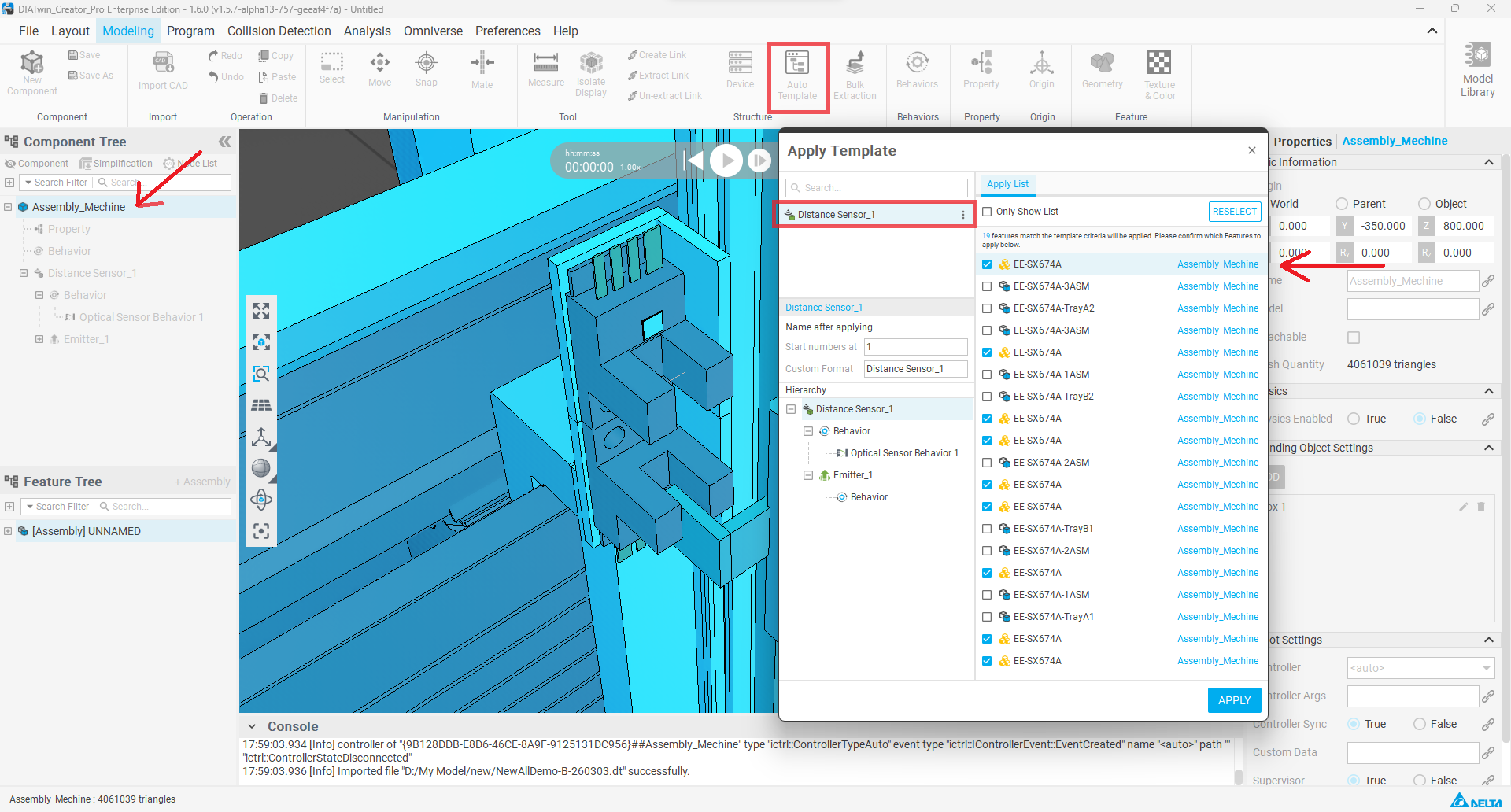
In actual equipment development and digital twin modeling, engineers often need to create components with highly similar appearances and functions in batches for the same equipment (such as sensors, cylinders, motor modules, slide tables, etc.). However, in the past, for every new component added, it was necessary to repeatedly manually set the appearance, naming, I/O connections, and behavioral logic. The process was tedious, time-consuming, and prone to errors, resulting in low modeling efficiency, inconsistent settings, and difficult project maintenance. Therefore, we are introducing the "Extract Template from Single Appearance Feature and Batch Apply" functionality. Users only need to create a standardized template once to quickly copy and apply it to multiple components with the same structure, automatically preserving behavioral logic, I/O settings, and naming rules, while retaining the flexibility for individual parameter adjustments. Whether it's ten or a hundred identical modules, there's no need to "rebuild one by one." Modeling time is drastically reduced, error rates are significantly lowered, and project consistency and maintainability are comprehensively enhanced. This feature is designed specifically for "highly repetitive, highly consistent" components and is a key tool for creating efficient and robust digital twins.