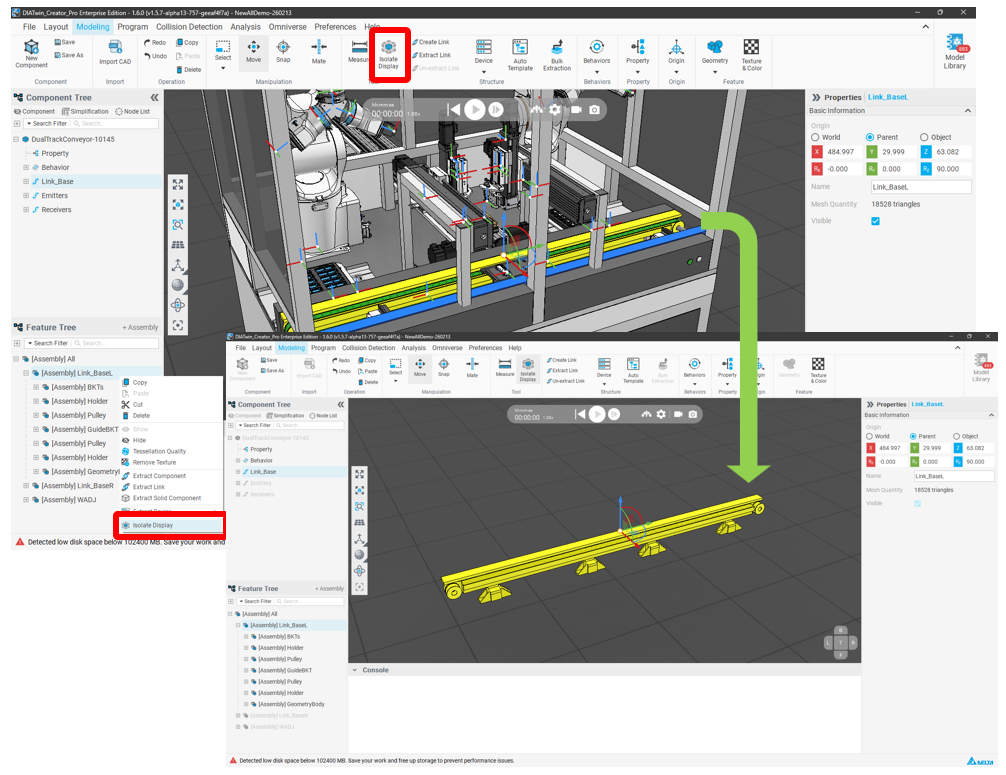
Added Isolate Display Functionality for Appearance Features
Feature Description
In Modeling mode, users can isolate the display of selected features within the feature tree,
hiding unselected features with a single click. This allows users to more clearly see the features
currently being edited, making modeling faster.
Operation Method
1. Select Feature
In Modeling mode, select the feature you want to isolate in the Feature Tree.
2. Click Isolate Display
Right-click and select the Isolate Display option from the menu,
or click the Isolate Display button on the top toolbar.