

In complex scenes, finding specific components or features often takes a lot of time in searching. Now, users can use the search function in the component tree or feature tree within modeling mode to filter devices or features, allowing users to quickly find the target they want to modify.
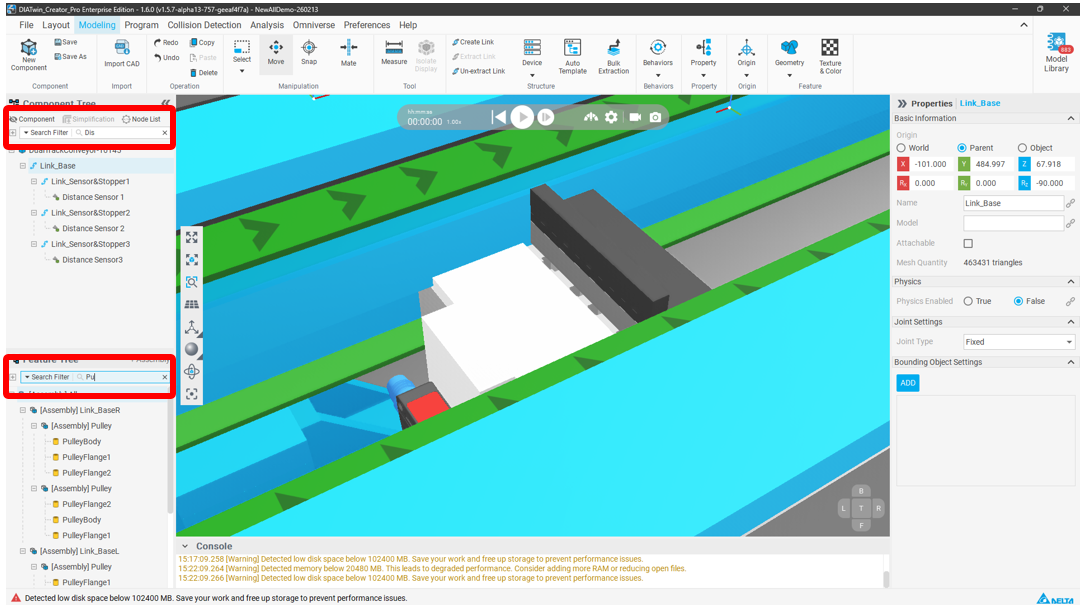
Users can also choose different search filters based on their needs, such as choosing to search for nodes with exactly matching names, ignoring case sensitivity during search, etc., to quickly find the target.
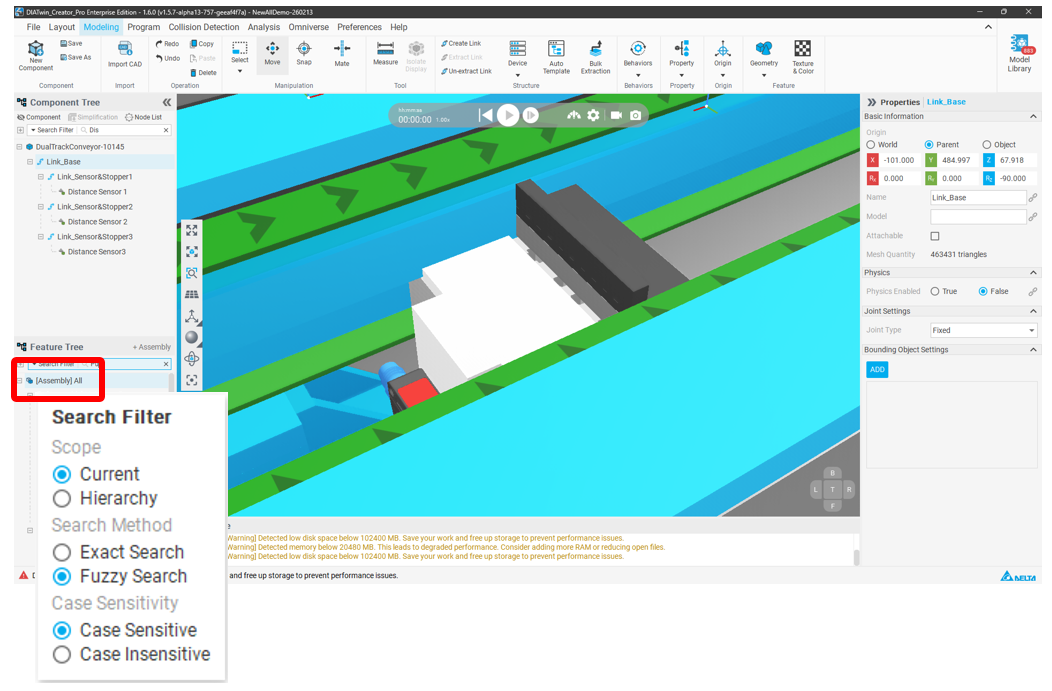
Search filter functions include:
| Search Filter | ||
| Scope | Current | Search the currently selected node |
| Hierarchy | Search child nodes | |
| Search Method | Exact Search | Search for nodes with exactly matching names |
| Fuzzy | Search for nodes with similar names | |
| Case Sensitivity | Case Sensitive | Case-sensitive search |
| Case Insensitive | Case-insensitive search | |