

Collision detection is mainly used to identify and display whether two or more virtual objects come into contact or interfere with each other in a 3D simulation environment. Objects detected to collide will be displayed in red.
| Edit | In edit mode, users can set the components that need collision detection. |
| View | In view mode, users can check whether interference is detected under the current settings. |
Users can choose when to enable interference detection here.
|
Active in Simulation |
When this option is selected, collision detection will be performed during simulation, allowing users to observe the overall operation and adjust the simulation in time to avoid interference. |
|
Stop Simulation on Collision |
When this option is selected, the simulation will stop when a collision occurs. |
|
Active in Program |
When this option is selected, collision detection will be performed during programming, allowing users to observe and adjust programming in time to avoid interference. |
|
Active in Layout |
When this option is selected, collision detection will be performed during layout, allowing users to observe and adjust the layout in time to avoid interference. |
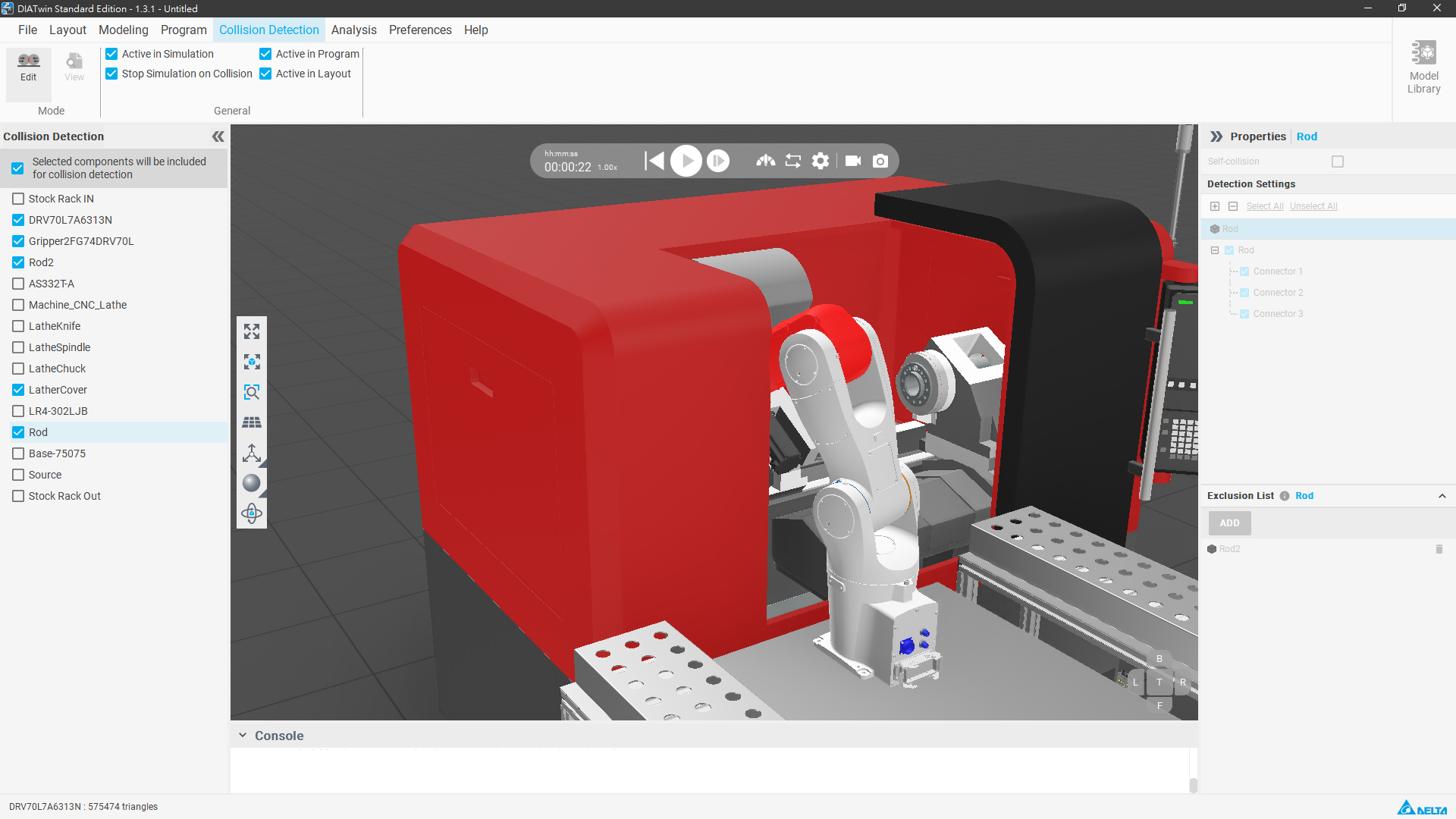
Users can check the components that need collision detection in the left field and select more detailed settings for this component in the right field.
Users can make more detailed settings in the right property field, including self-interference detection, detection links, excluded devices, etc. Users can adjust according to their needs.
|
Self-Collision |
Users can choose whether this component needs self-interference detection. |
|
Detection Settings |
Users can choose whether the internal links and devices of the components that need collision detection should be detected. |
|
Exclusion List |
Users can choose components or links to exclude from detection here. |