

The user interface is mainly divided into five major interface areas
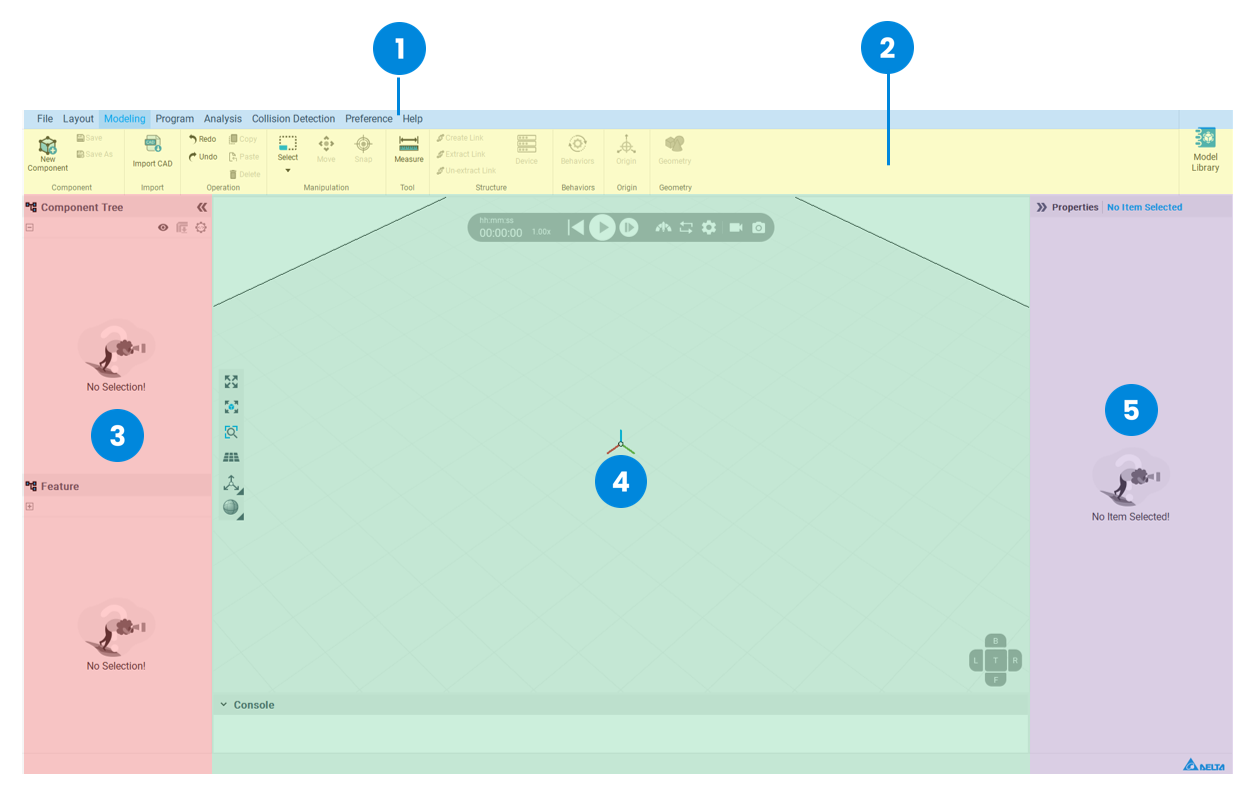
| 1 | Menu Bar |
| 2 | Tool Bar |
| 3 | Left side Panel |
| 4 |
Middle - 3D World |
| 5 | Right side Panel |
In 3D world, there are mainly 3 types of tools:
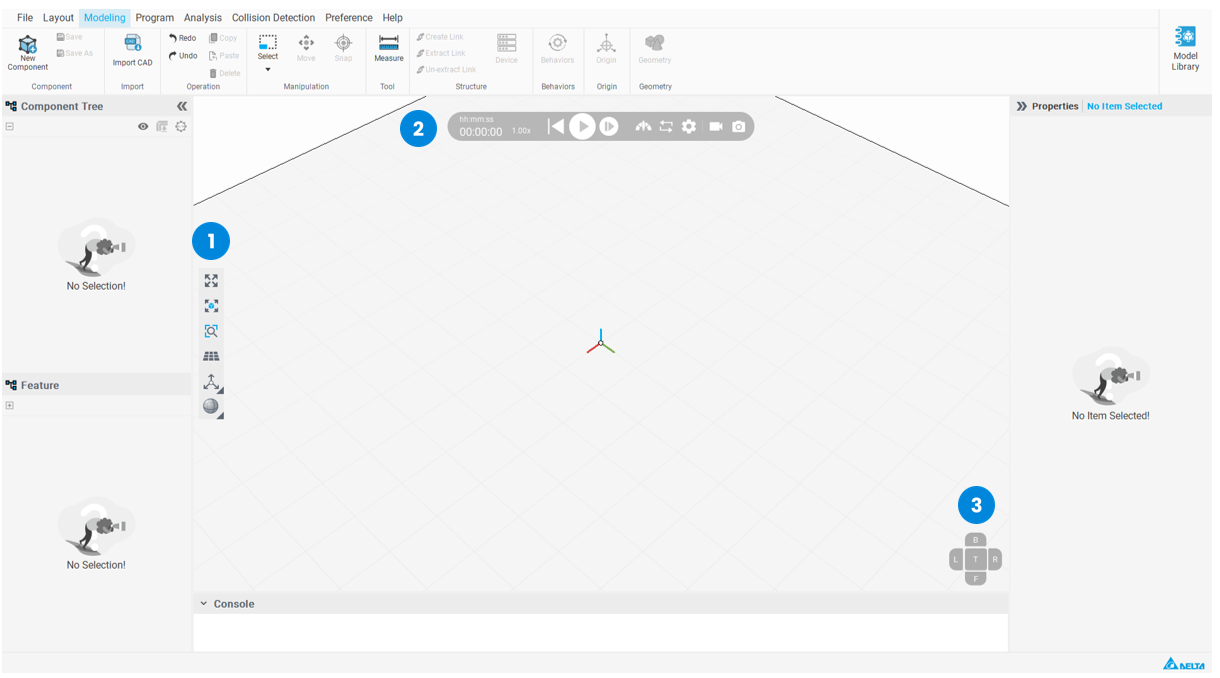
3D View toolbar

| 1 | Fill all (Fit view to all) |
| 2 | Fill selected (Fit view to selected features) |
| 3 | Zoom to area |
| 4 | Show/Hide the floor |
| 5 | Frame display options |
| 6 | Render mode |
Simulation bar
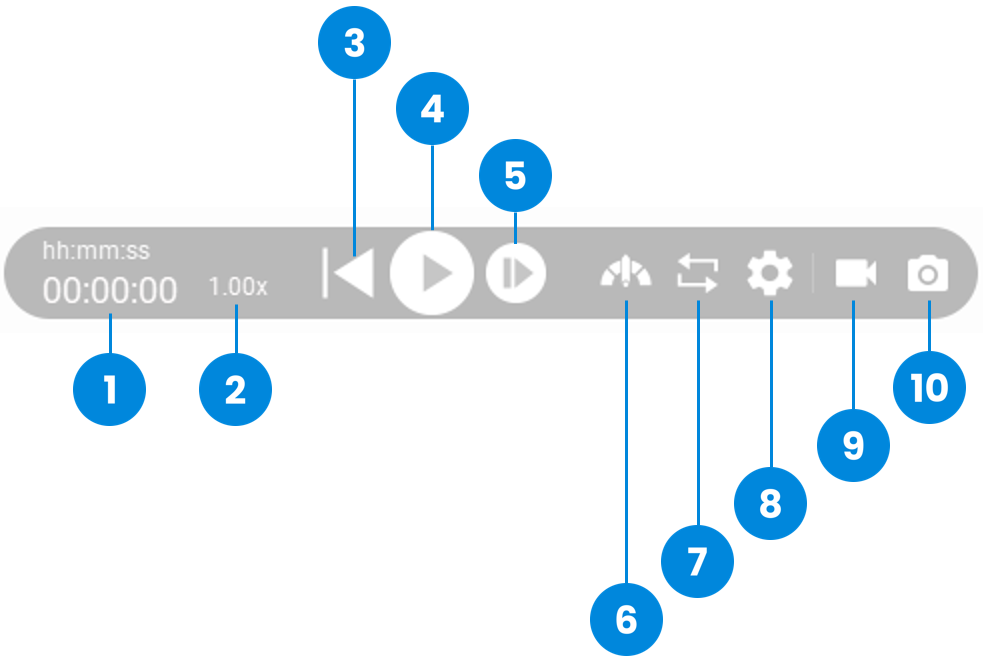
| 1 | Simulation Time |
| 2 | Speed meter |
| 3 | Reset to initial state |
| 4 | Play simulation |
| 5 | Exceute one simulation step |
| 6 | Speed up simulation |
| 7 | Repeat |
| 8 | Setting |
| 9 | Video Recording |
| 10 | Export a screenshot of the current view |
View Selector
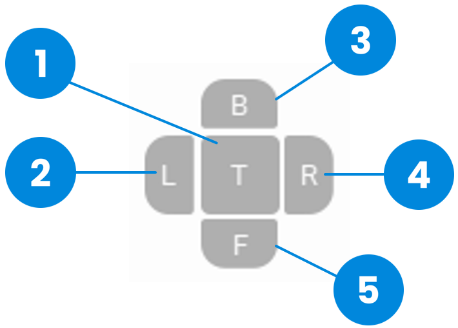
| 1 | Top view |
| 2 | Left view |
| 3 | Back view |
| 4 | Right view |
| 5 | Front view |