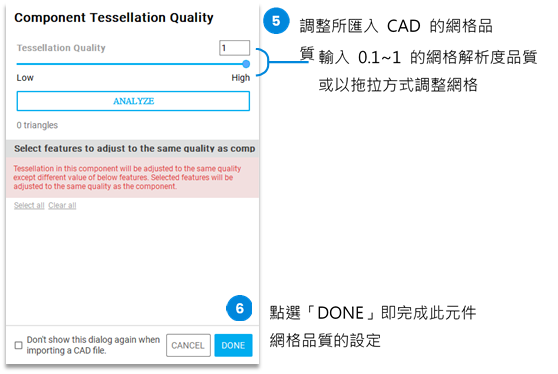
You can use the following two methods to import component models:
The steps for these two import methods are described below:
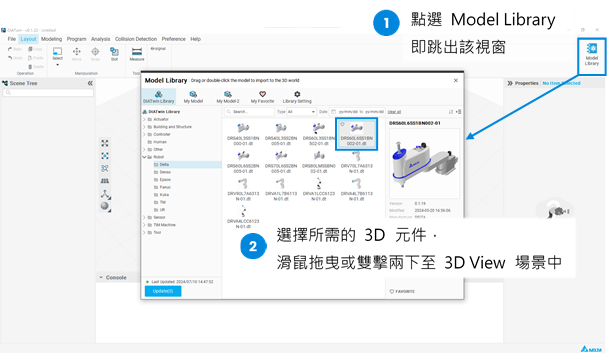
Using the "Import Tool Head" application example, follow the steps below to complete importing component models into DIATwin from "Import CAD":
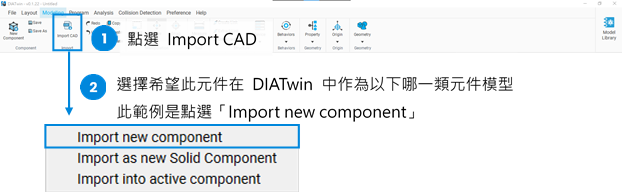
Next, import the required CAD file.
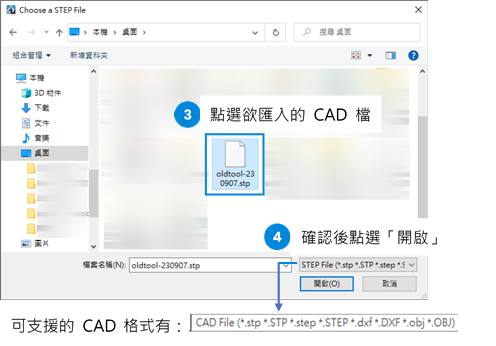
Following the previous step, the "Component Tessellation Quality" settings will appear.
Here, you can adjust the quality settings for the rendering mesh resolution of the imported CAD.