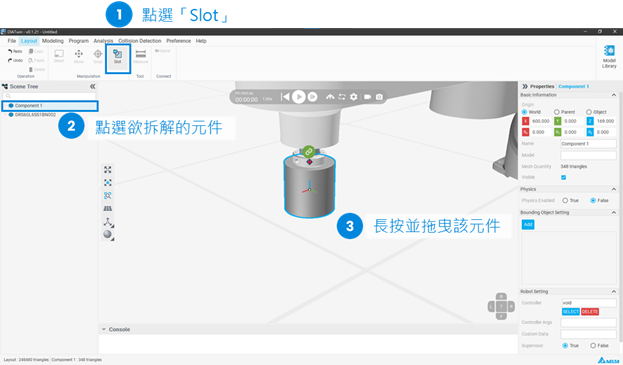
Users can move components to the desired position by dragging or entering coordinates.
They can also use the Snap function to attach components to the desired plane.
However, if you want the assembled components to be treated as a single entity, you need to use the Slot function.
For example, if a robotic arm and a tool head are assembled using the slot function, they will be treated as a single entity.
Thus, the coordinates of the tool head can be selected through the controller of the arm for teaching points.
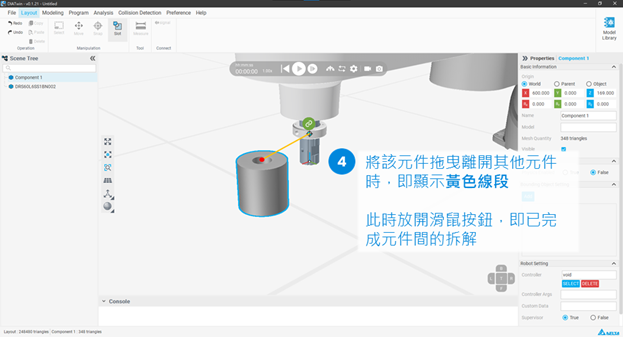
The following demonstrates how to use the Slot function to assemble components.
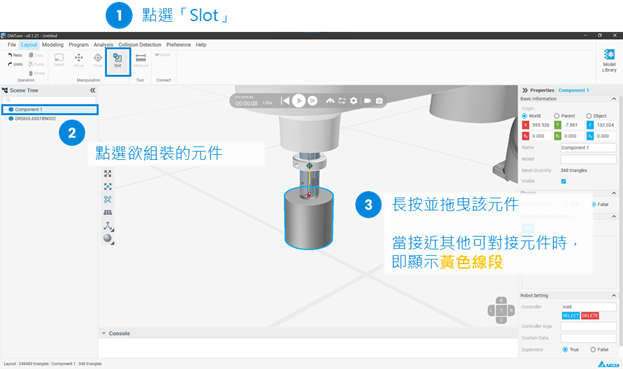
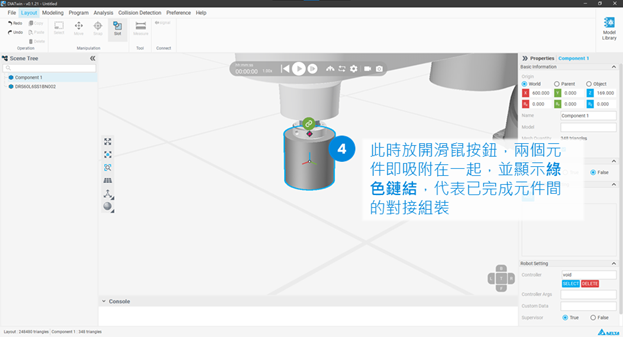
The following demonstrates how to disassemble components.