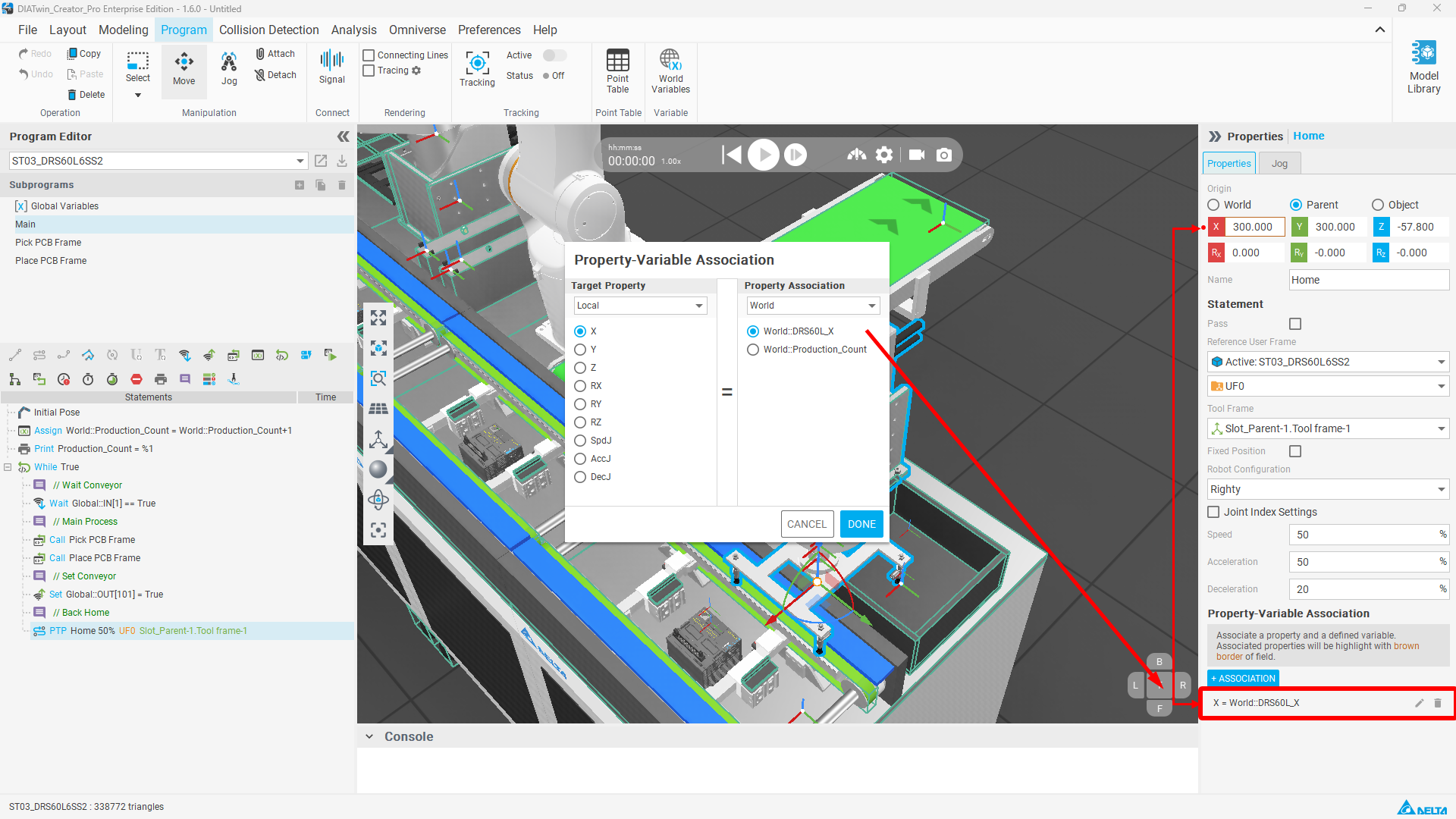
In the past, in Programming mode, different Executors
had to use IO Signals to exchange messages.
As a result, users had to configure multiple sets of IO Signals for message handshaking.
This configuration method was not only troublesome but also prone to errors.
Now, users can add World Variables to exchange signals across components,
allowing users to edit programs more conveniently.
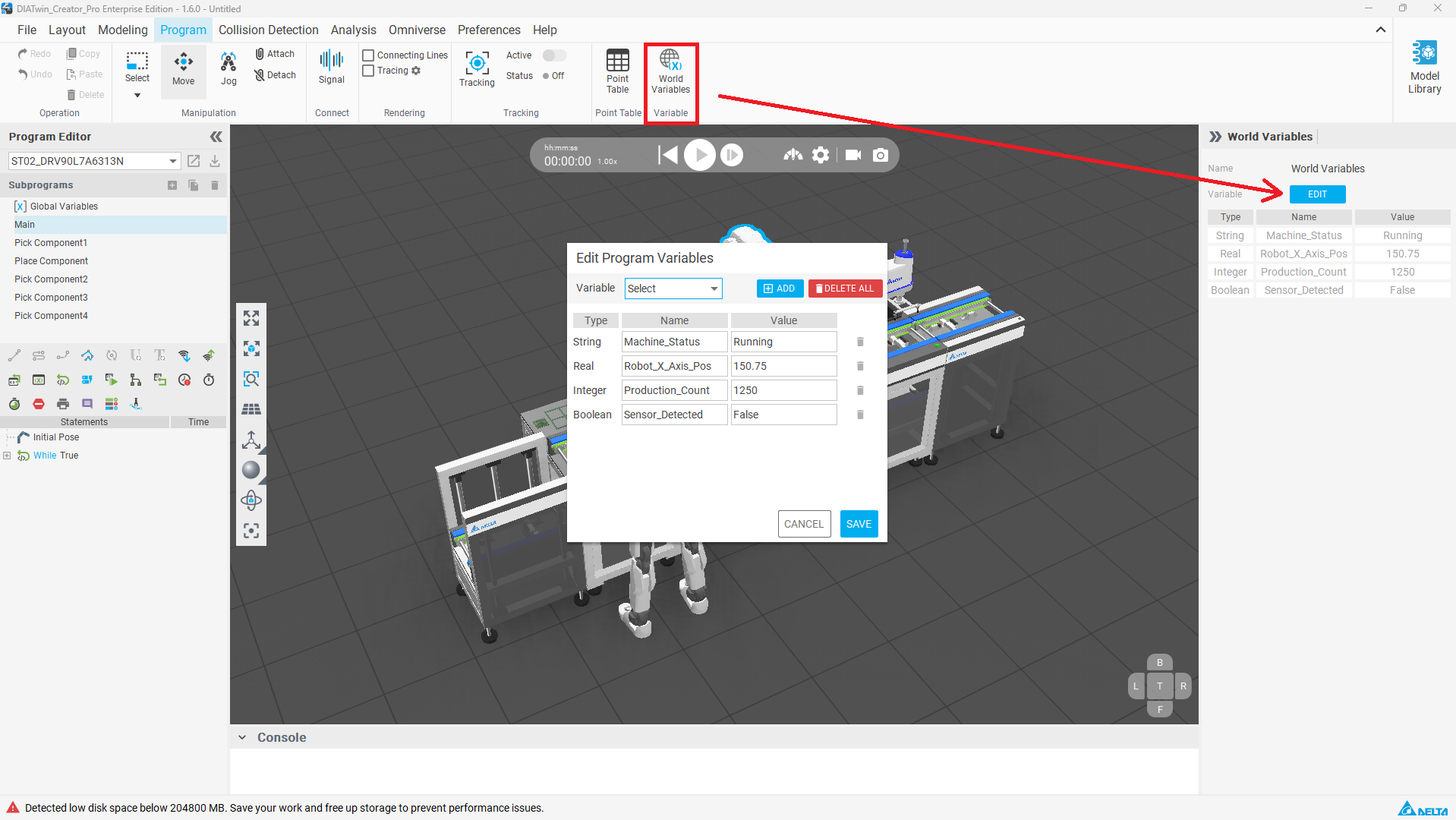
Supported Variable Types
- Boolean: Boolean variables can input true or false
- Integer: Integer variables can input whole numbers
- Real: Real variables can input decimal values
- String: String variables can input text
Variable names cannot be the same as variable names in Statement Properties. Disabled variable names are as follows:
- X
- Y
- Z
- Rx
- Ry
- Rz
- SpdL
- AccL
- DecL
- SpdJ
- AccJ
- DecJ
- J followed by a number
Operation Method
1. Define World Variable
Click the World Variables button, select the variable type and add it, enter the variable name and default value, then click OK.
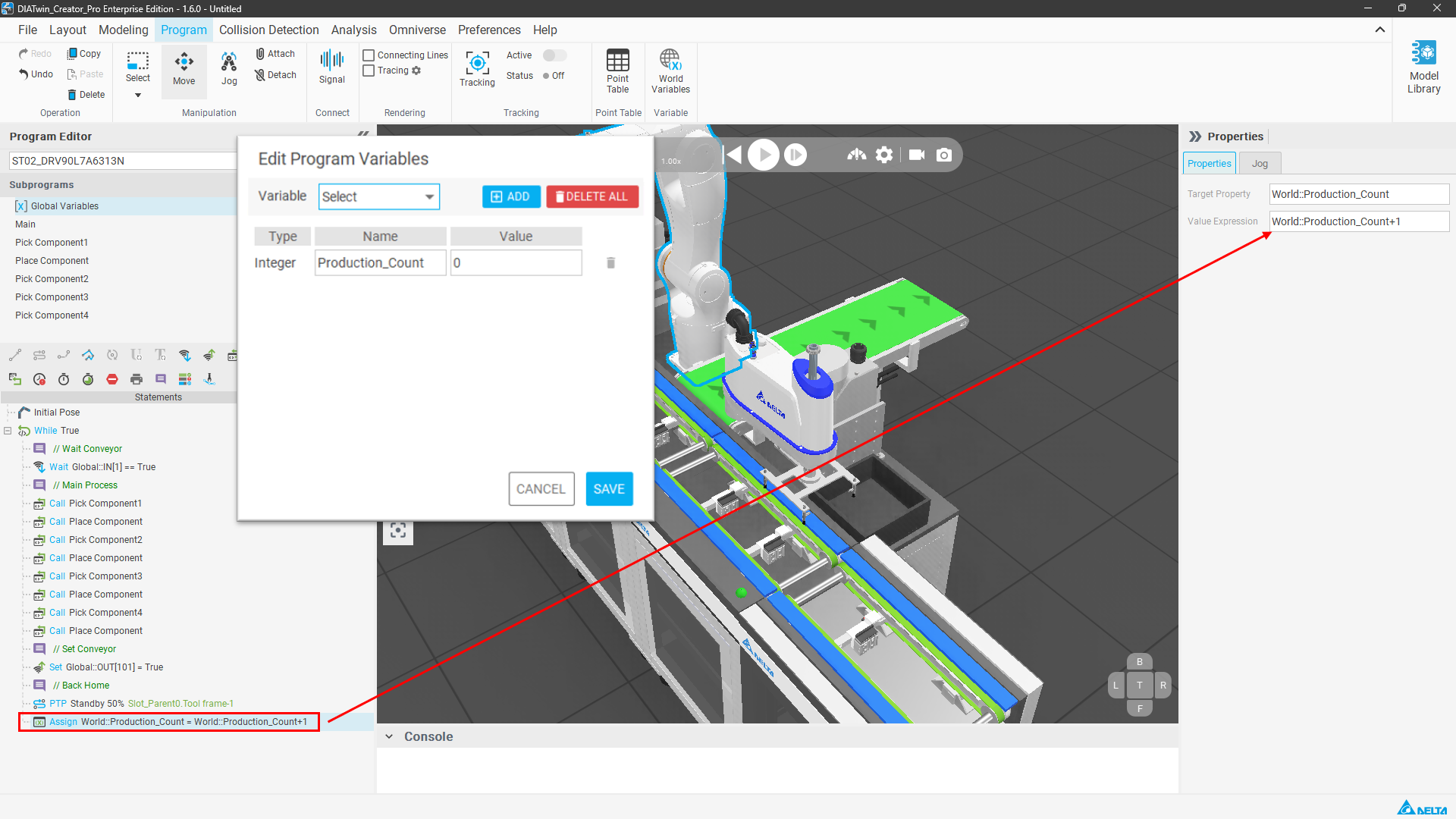
2. Call in Statement
In the Assign Variable statement properties panel,
enter World::VariableName in the Target Property or Value Expression
to perform calculations or write data.
3. Link Motion Properties
You can also add Association properties in the properties panel of Point to Point Motion or Linear Motion,
bringing world variables into local variables of the same or different components.
Associated properties will be displayed with a brown outline.